> For the complete documentation index, see [llms.txt](https://docs.finngen.fi/llms.txt). Markdown versions of documentation pages are available by appending `.md` to page URLs; this page is available as [Markdown](https://docs.finngen.fi/working-in-the-sandbox/running-analyses-in-sandbox/pipelines-tool-instructions/tips-on-how-to-find-a-pipeline-job-id.md).
# Tips on how to find a pipeline job ID
Pipeline job IDs can be found in the **Pipelines** application and in the **Custom GWAS** application. In both applications you can find *running*, *succeeded* and *failed* pipeline jobs.
### Finding a pipeline job ID from the Pipelines application
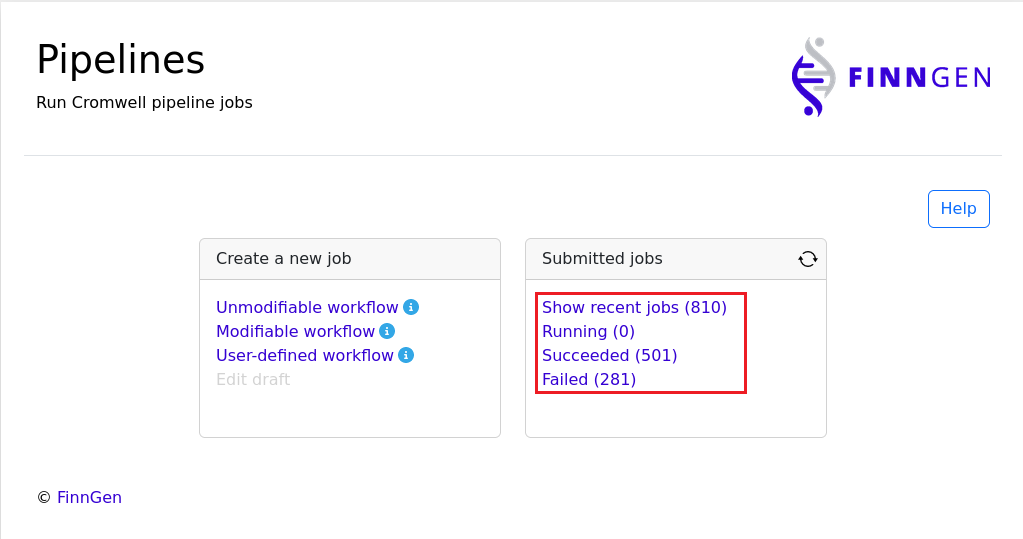
The easiest way to obtain a pipeline job ID is through the **Pipelines** application. Depending on whether your pipeline job has failed, succeeded, or is currently running, you need to open the Pipelines application and select the appropriate section from `Submitted jobs`. Alternatively, you can choose to `Show recent jobs` to browse through all recently completed jobs.
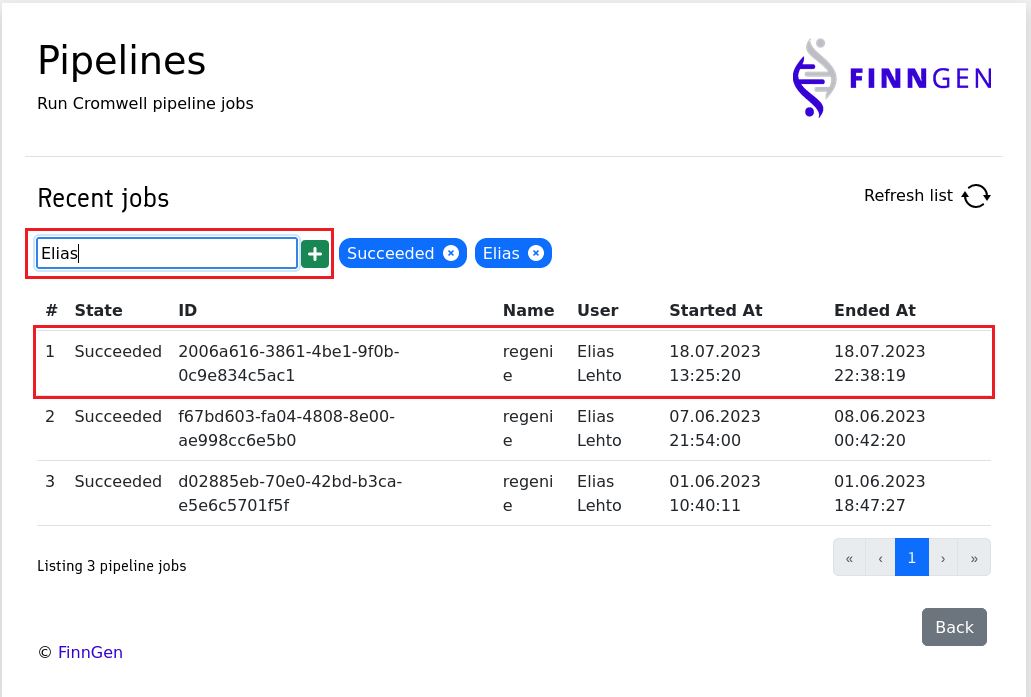
After having selected the correct section, a new page will open listing all pipeline jobs filtered by the section you selected. The simplest way to find the job ID is to search by the name of the job's submitter. The job ID can be found from the **ID** column and the time of submission from the **Started At** column. You need to know when the job you are looking for was submitted in order to find the right job from the person's submissions.
### Finding a pipeline job ID from the Custom GWAS application
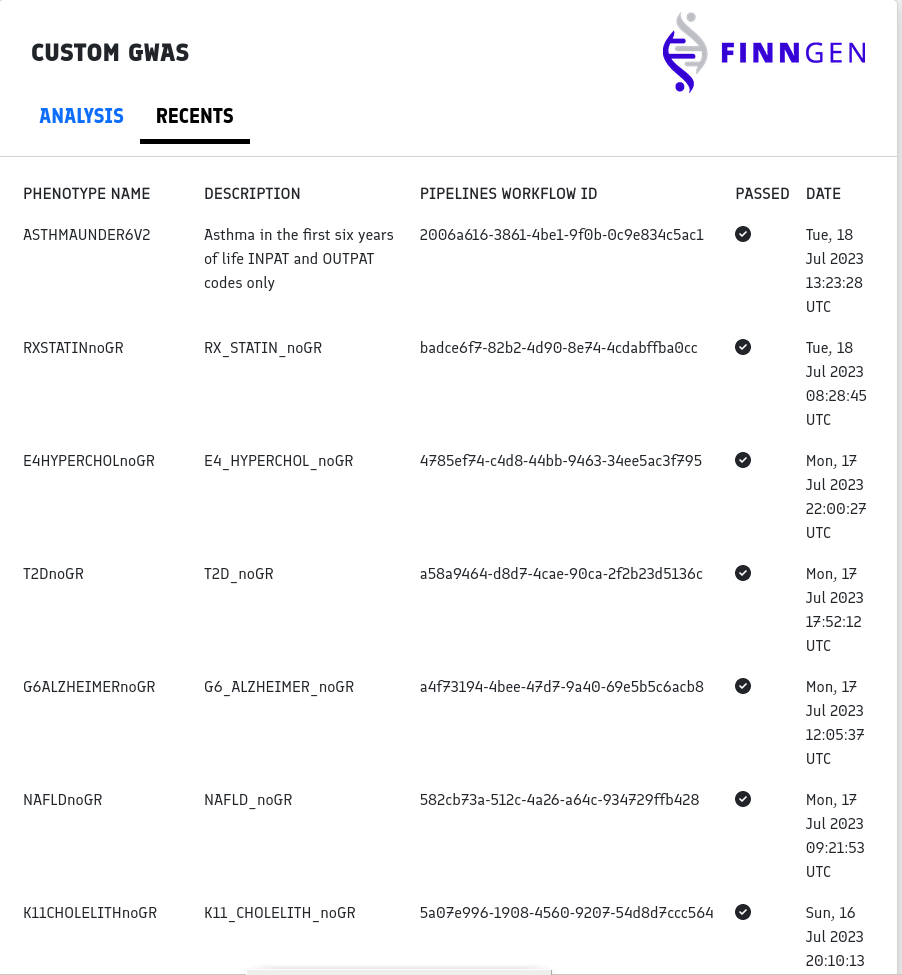
Succeeded, failed and running pipeline jobs can be found from the [Custom GWAS](broken://pages/-MhYMPpmLjq4WtP_ceMi) application. This method is convenient if you know the name of the pipeline job. Open the **Custom GWAS** application and click on `Recents`. This will open a page with different succeeded or failed pipeline jobs. `PHENOTYPE NAME` indicates the name given to the job in the submission and `PIPELINES WORKFLOW ID` indicates the job ID.
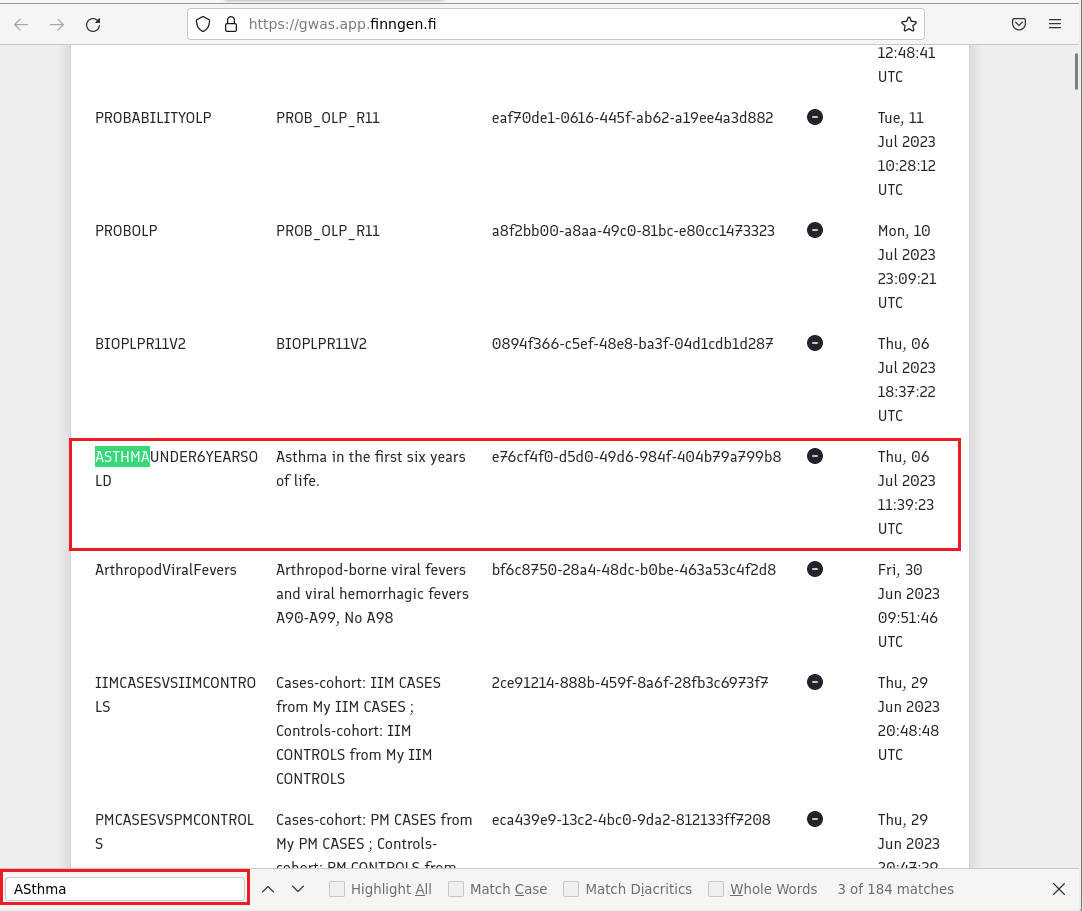
You can now search for the job's name with Control + F (Windows) or Command + F (Mac).