> For the complete documentation index, see [llms.txt](https://docs.finngen.fi/llms.txt). Markdown versions of documentation pages are available by appending `.md` to page URLs; this page is available as [Markdown](https://docs.finngen.fi/working-in-the-sandbox/which-tools-are-available/atlas/detailed-guide/cohort-characterizations-in-atlas.md).
# Cohort Summary Statistics in Atlas
The Atlas **Characterizations** allow you to create **cohort-level descriptive summary statistics.** You can use these statistics to review the conditions, medications, age, sex, and demographics of your cohorts before using them in analyses. They may help you to make sure that your cohorts have expected characteristics while not having any unexpected or unwanted features.
{% hint style="info" %}
The **Characterizations** use [standard codes](/working-in-the-sandbox/which-tools-are-available/atlas/detailed-guide/code-sets-in-atlas.md). If you are using [non-standard codes](/working-in-the-sandbox/which-tools-are-available/atlas/detailed-guide/code-sets-in-atlas.md) you must first [find equivalent standard codes](/working-in-the-sandbox/which-tools-are-available/atlas/detailed-guide/how-to-define-a-cohort-in-atlas/concept-sets/find-mapped-equivalents-for-standard-and-non-standard-codes-in-atlas.md#find-the-standard-equivalent-for-non-standard-code).
{% endhint %}
In this tutorial, we will use **Characterizations** to compare case and control cohorts for *excessive earwax.*
### Create a new Characterization
* Choose the **Characterizations** option from the left menu
* Click the **New Characterization** button on the top right
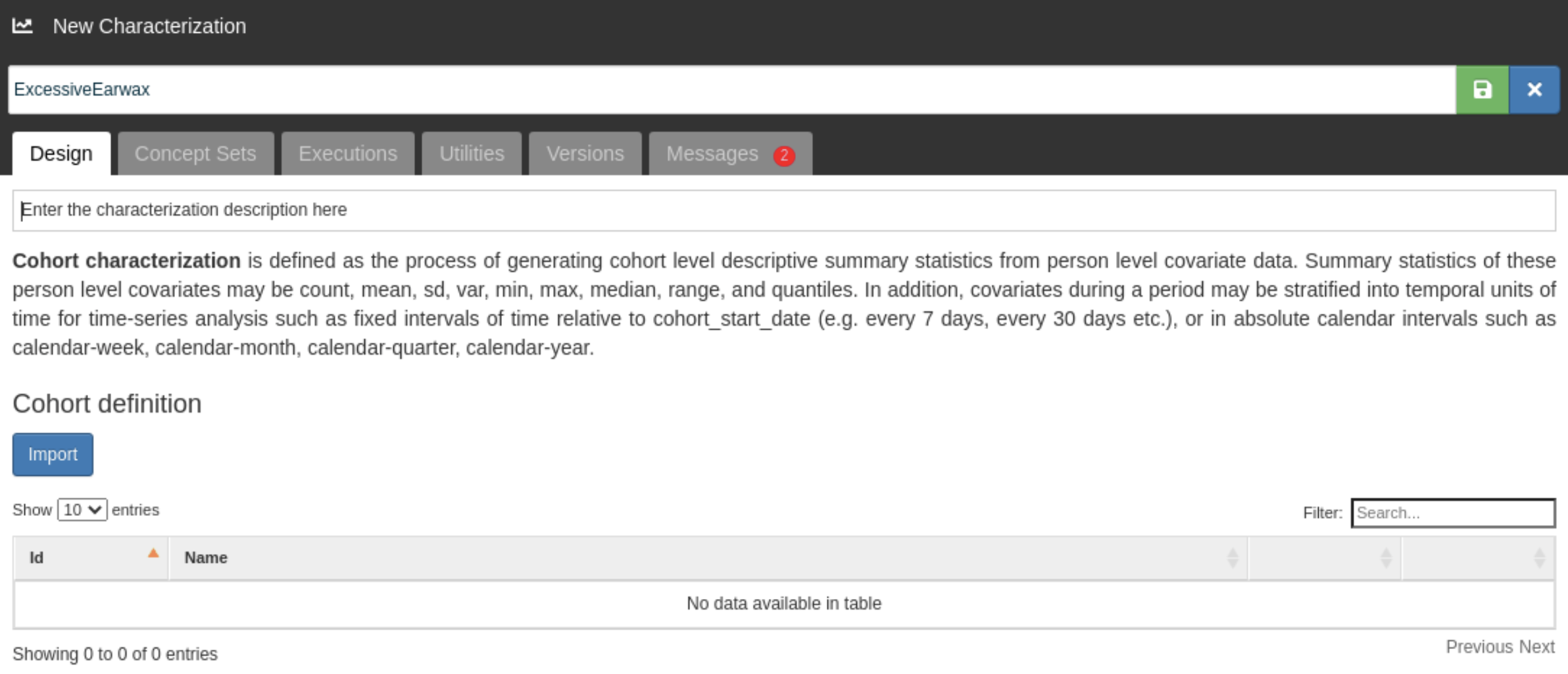
.png?alt=media)
We have named the Characterization as *ExcessiveEerwax*:
### Import Cohorts
* First, click the **Import** button below the **Cohort definitions** to select your cohorts.
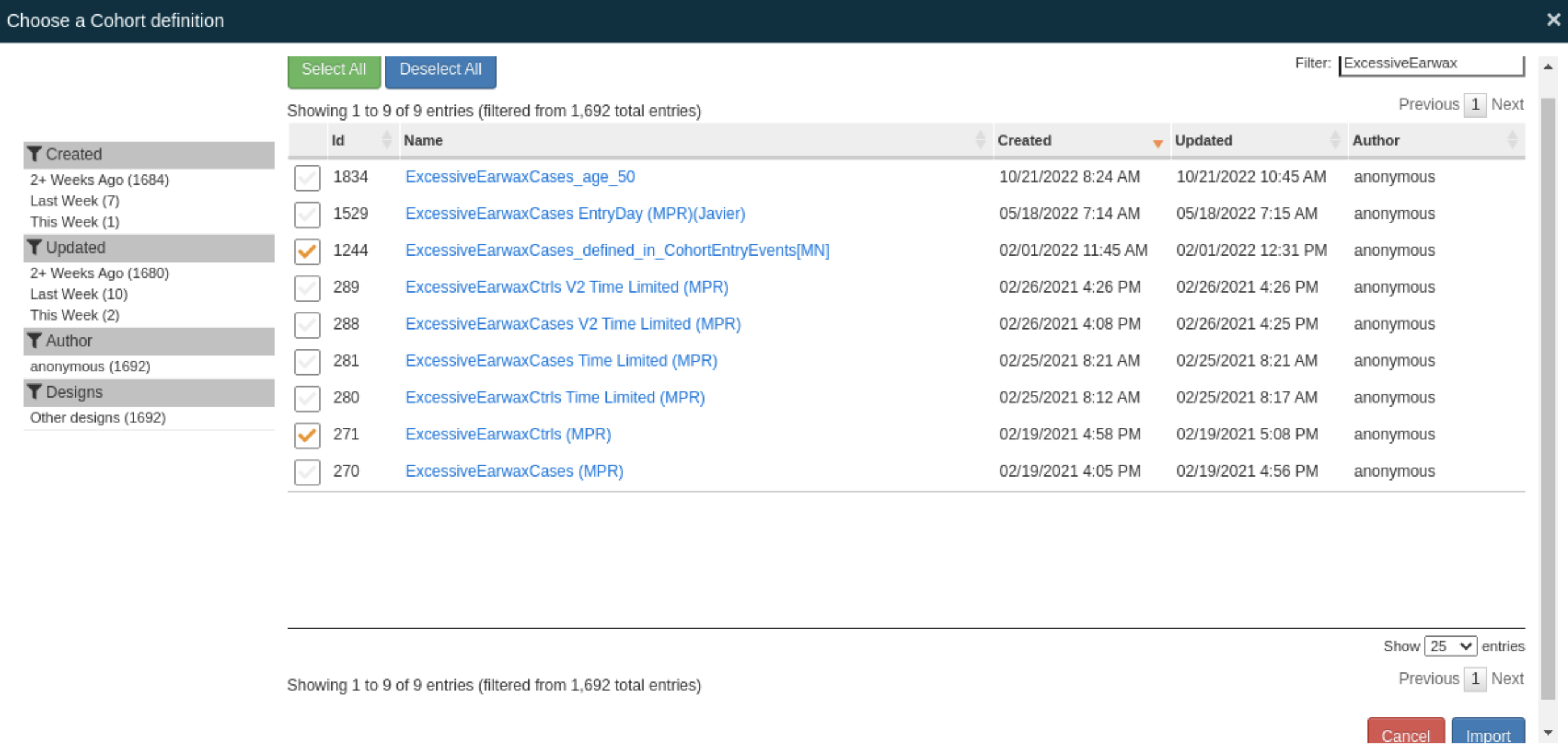
We have filtered the cohorts using *ExcessiveEerwax* and selected our case and control cohorts:
* Click the **Import** button at the bottom right to select these two cohorts.
The two imported cohorts are shown below the **Cohort definitions:**
.png?alt=media)
### Import Features
* Next, click the **Import** button below the **Feature analyses** to select the features for the summary statistics:
We have filtered the features by selecting the DEMOGRAPHICS Domain and selected the *Demographics Age* and *Demographics Gender* features:
.png?alt=media)
* Click the **Import** button at the bottom right to select these two features.
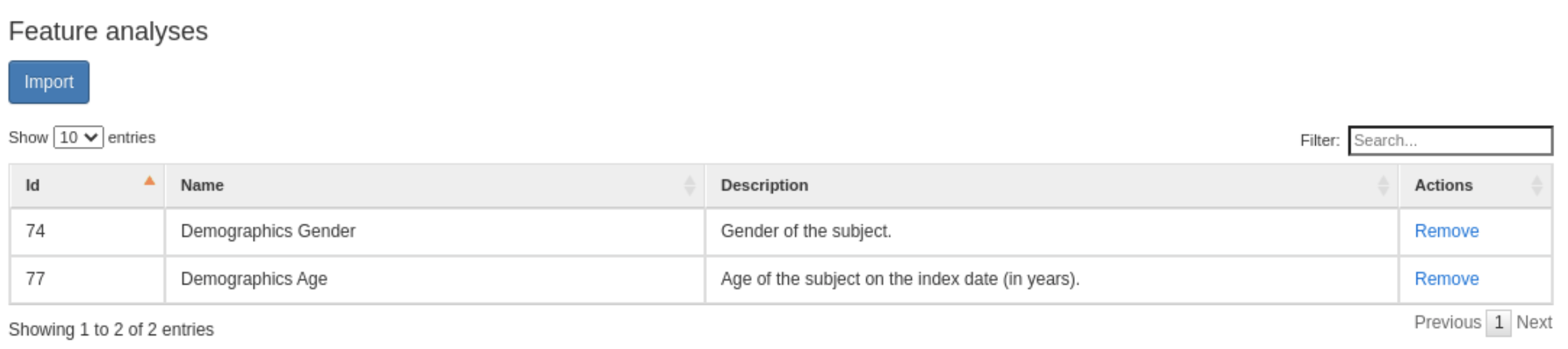
The two imported features are shown below the **Feature analyses:**
### Save the Characterization
* Save your Characterization by clicking the .png?alt=media) button on the right side of its name.
### Create summary statistics
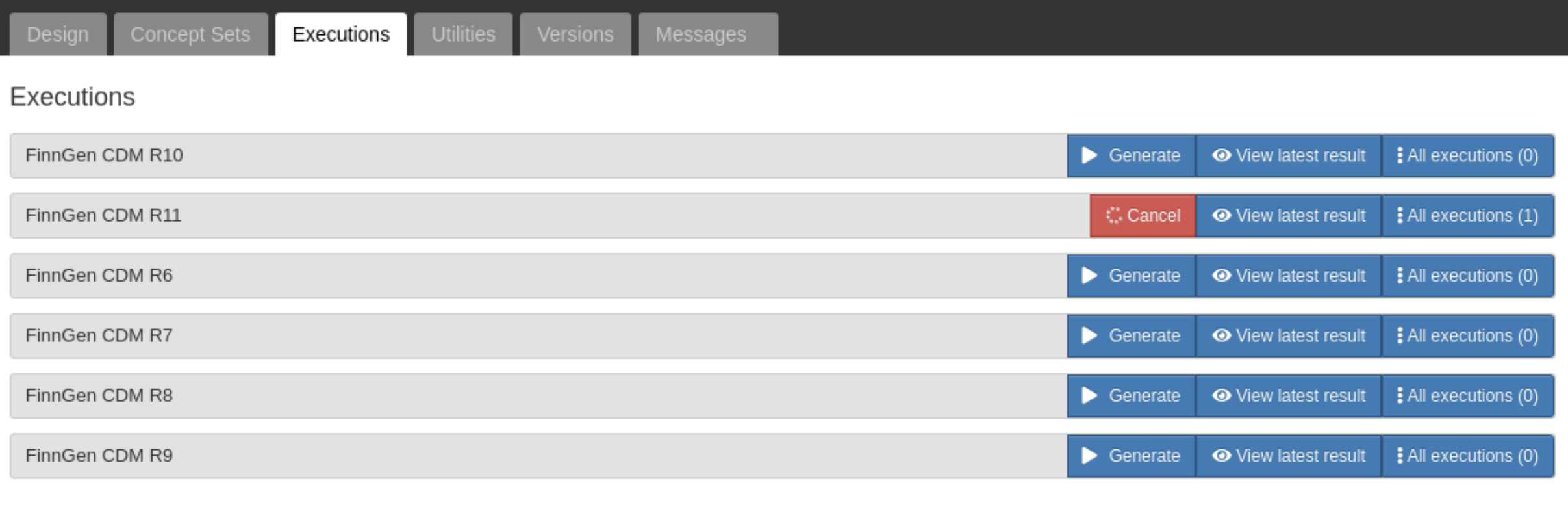
* Open the **Executions** tab
* Click the **Generate** button on the right side of a FinnGen data release. The summary statistics will be created for this FinnGen data release.
{% hint style="info" %}
The Characterization must be saved before summary statistics can be generated.
{% endhint %}
Below, we are creating summary statistics for the FinnGen data release 11:
### View summary statistics
* After generating the summary statistics, click the **View latest result** button on the right side of the **Generate** button to see the summary statistics.
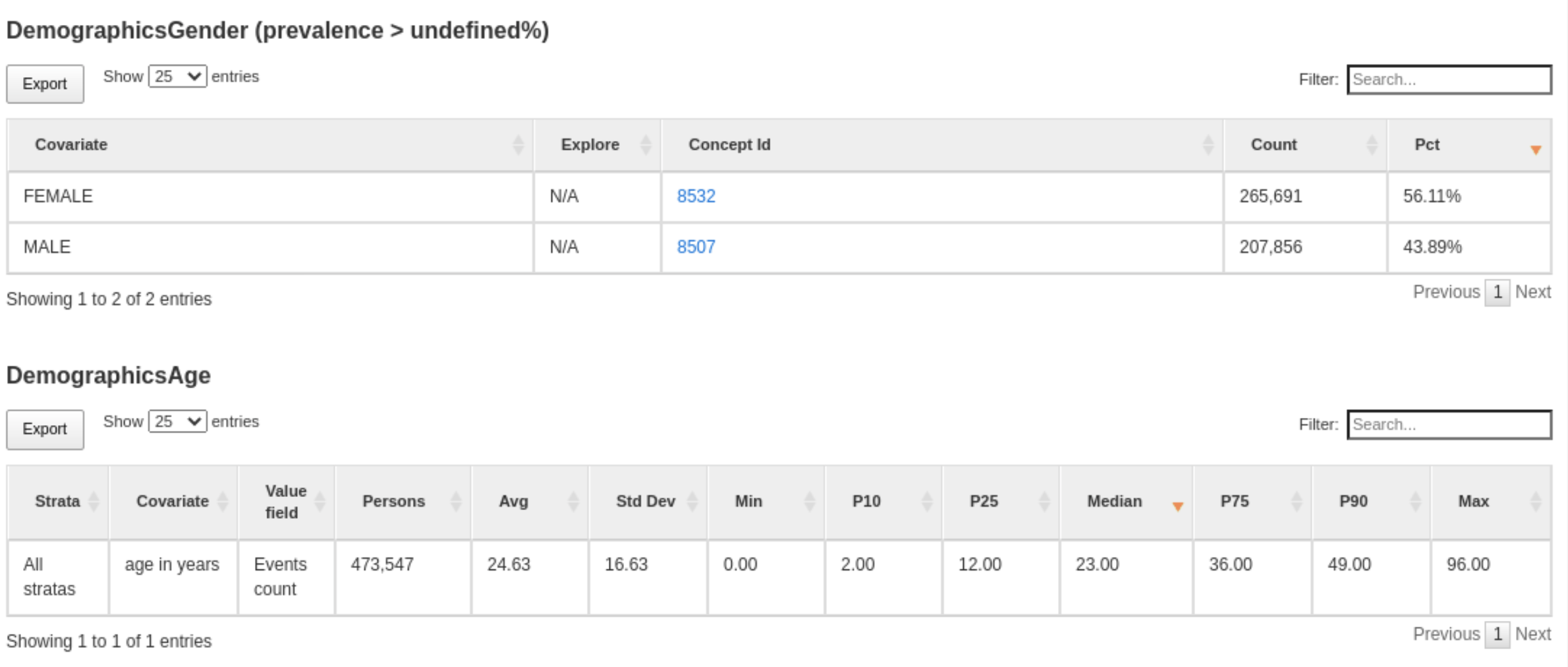
Below are summary statistics for the *Demographics Age* and *Demographics Gender* features in FinnGen data release 11:
### Further reading
[Time-dependent Cohort Summary Statistics in Atlas](/working-in-the-sandbox/which-tools-are-available/atlas/detailed-guide/cohort-characterizations-in-atlas/interpreting-the-results-of-feature-analysis-in-atlas.md)
[Event inclusion in Cohort Summary Statistics in Atlas](/working-in-the-sandbox/which-tools-are-available/atlas/detailed-guide/cohort-characterizations-in-atlas/improving-cohorts-using-cohort-characterizations-tool.md)
[Characterizations in the Book of OHDSI](https://ohdsi.github.io/TheBookOfOhdsi/Characterization.html)