> For the complete documentation index, see [llms.txt](https://docs.finngen.fi/llms.txt). Markdown versions of documentation pages are available by appending `.md` to page URLs; this page is available as [Markdown](https://docs.finngen.fi/working-in-the-sandbox/which-tools-are-available/cohort-operations-tool-co/understanding-phenotypic-overlaps-using-co.md).
# Understanding phenotypic overlaps using CO
This example shows how to understand code overlaps. For example to check if a cohort has any unwanted disease codes in it.
Make sure to read about [How to define a cohort in Atlas](/working-in-the-sandbox/which-tools-are-available/atlas/detailed-guide/how-to-define-a-cohort-in-atlas.md) and about [Standard and non-standard codes](/working-in-the-sandbox/which-tools-are-available/atlas/detailed-guide/code-sets-in-atlas.md) before continuing further.
In this example, we are tasked with making [case](/working-in-the-sandbox/which-tools-are-available/atlas/detailed-guide/how-to-define-a-cohort-in-atlas/how-to-define-a-simple-icd-case-control-cohort-in-atlas/define-a-simple-icd-case-cohort-in-atlas.md) and [control cohorts ](/working-in-the-sandbox/which-tools-are-available/atlas/detailed-guide/how-to-define-a-cohort-in-atlas/how-to-define-a-simple-icd-case-control-cohort-in-atlas/define-a-simple-icd-control-cohort-in-atlas.md)about Asthma patients. The **case cohort** must *include* the codes and subcodes of ICD8 493, ICD9 493, ICD10 J45, and ICD10 J46. The **control cohort** must *exclude* these codes.
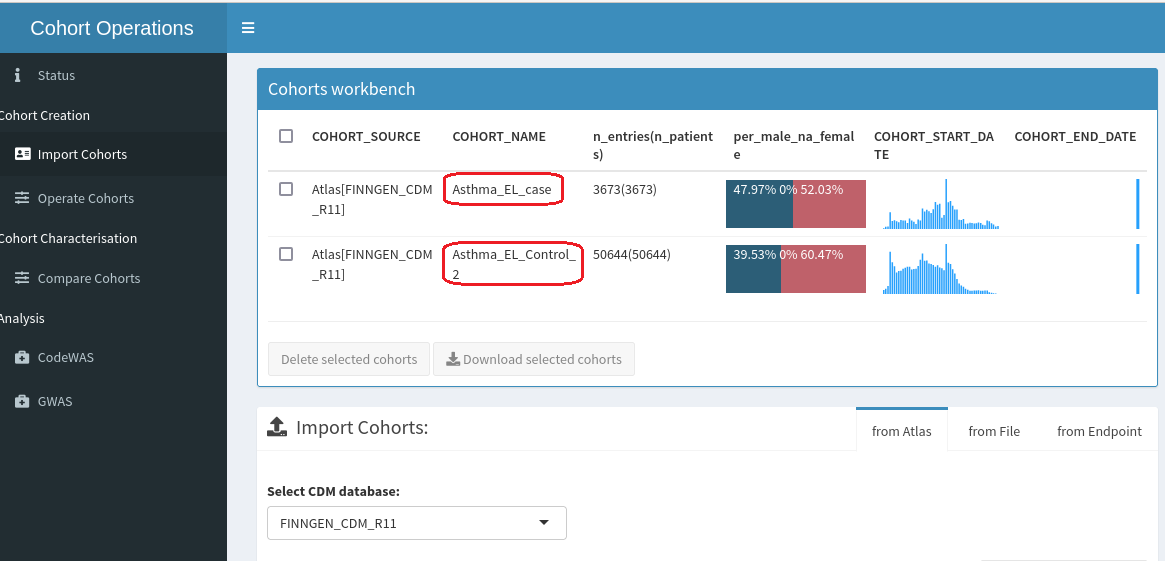
According to the instructions [here](/working-in-the-sandbox/which-tools-are-available/atlas/detailed-guide/how-to-define-a-cohort-in-atlas/how-to-define-a-simple-icd-case-control-cohort-in-atlas.md) we have made a **case cohort** including the codes listed above (Asthma\_EL\_case) and a **control cohort** (Asthma\_EL\_Control\_2). Now we will check if the control cohort has filtered the codes out of the cohort as intended.
#### Step 1.
Following the instructions [here](/working-in-the-sandbox/which-tools-are-available/cohort-operations-tool-co/upload-cohorts-to-co.md), upload the cohorts you want to examine into Cohort Operations Tool. It's a good idea to upload the case-cohort into CO as well so you can compare them and spot mistakes more efficiently.
#### Step 2.
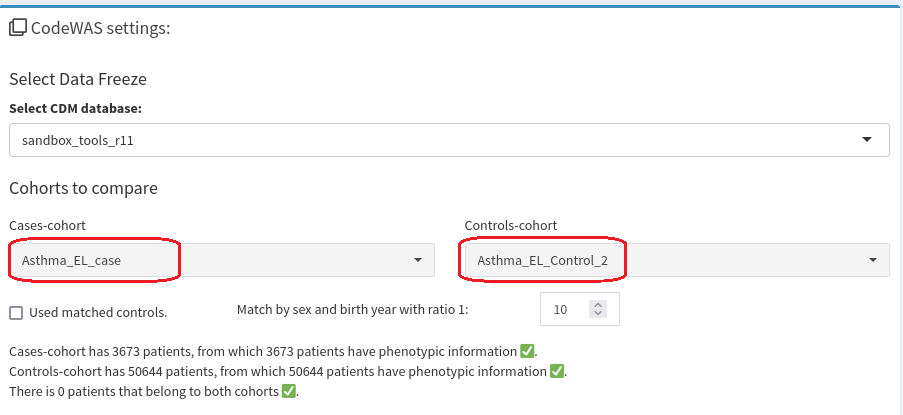
Open [CodeWAS ](/working-in-the-sandbox/which-tools-are-available/cohort-operations-tool-co/explore-code-and-endpoint-enrichments-with-co.md)and upload the cohorts into **Cohorts to compare**.
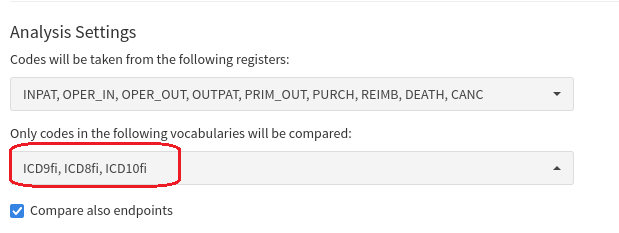
In this example we are only using ICD codes, so from **Analysis settings** we can exclude other codes. You can also filter using registries if your cohorts are also filtered by them.
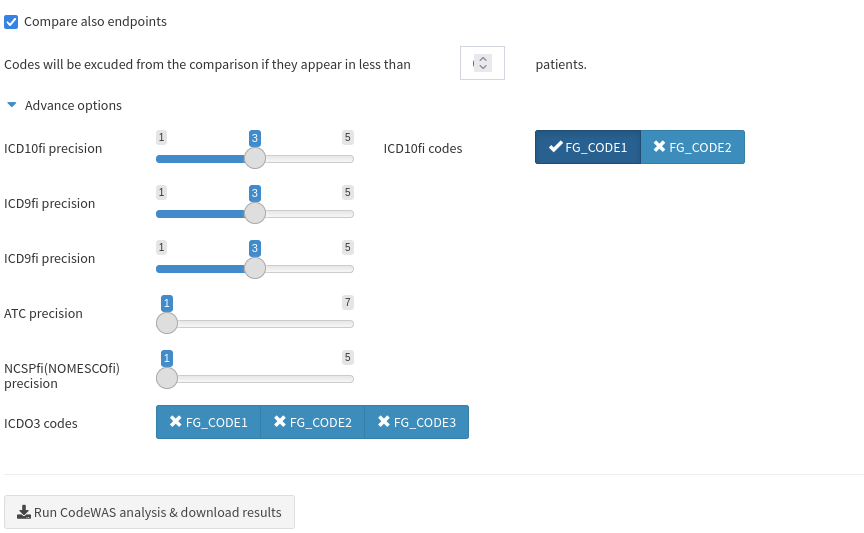
To ease the process of inspecting the codes included in the control cohort, we will select the precision of ICD codes to 3 and the precision of other codes to 1 from **Advanced options**. This will make all the sub-codes fall under one code for easy inspection. For example the codes J45.1, J45.2, J45.3.. etc. will all be under the code J45. The codes with the precision of 1 are selected to not be shown in high detail because our cohorts don't use them.
We will also exclude ICDO3 codes and include only the symptom diagnoses codes by selecting `FG_CODE1` from the top right corner.
#### Step 3.
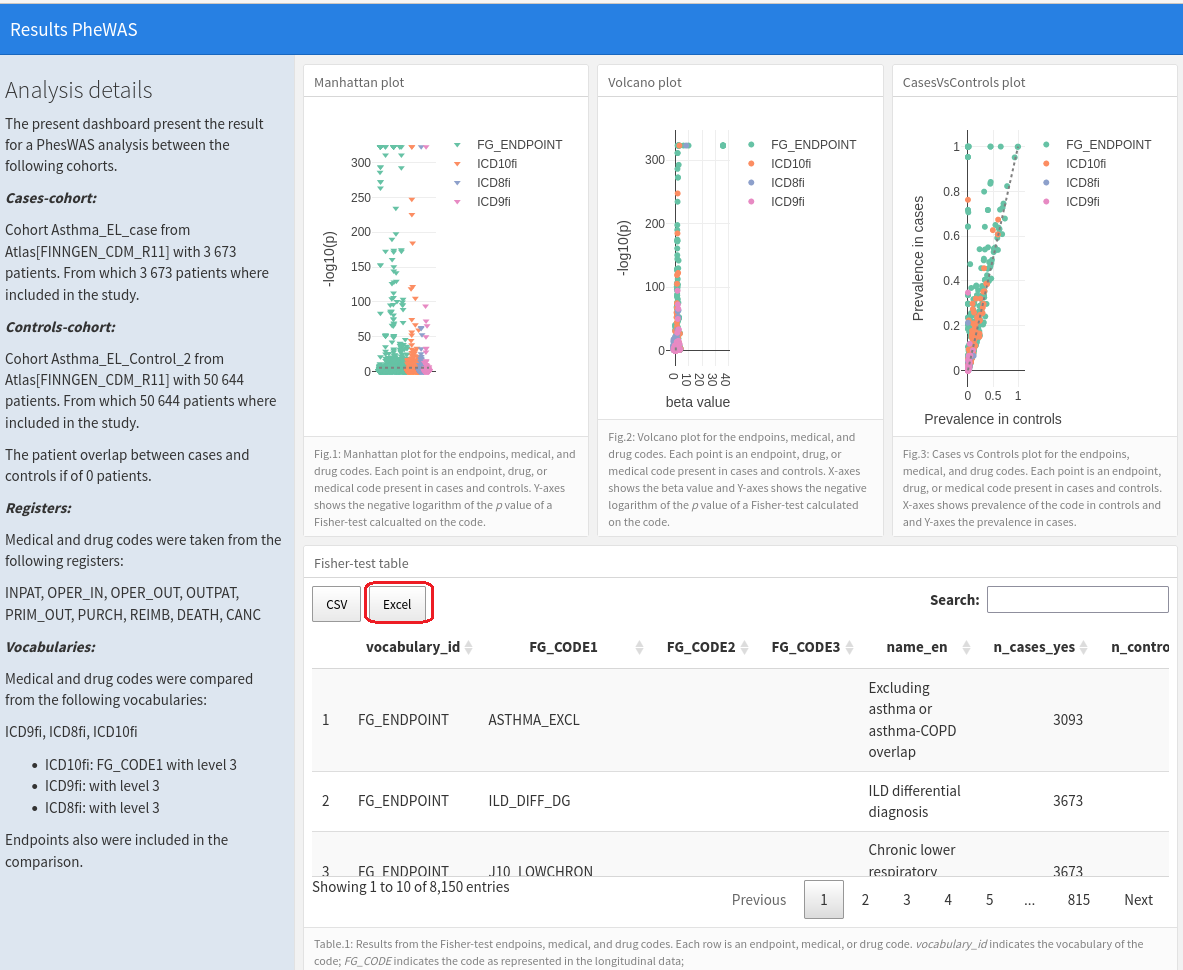
Click **Run CodeWAS analysis & download results**. It will run CodeWAS and download the results into a `.html` file into `/home/ivm/Downloads/`.
#### Step 4.
Open the CodeWAS file and click `Excel`. This will download a `.xslx` file to the same address as mentioned in the earlier step.
#### Step 5.
Open the .`xslx` file with LibreOffice. Using the search function, search for the codes you have tried to filter out of the control cohort. The lines of interest in this example are underlined by the blue line.
From the example Excel, we can see that the filtering *works* for ICD9 493 and ICD10 J45 codes since the column **n\_controls\_yes** shows *0* cases for the codes (highlighted by the green arrow).
Filtering of the ICD8 493 code *could be checked*, since there are *5* cases of it in **n\_controls\_yes** column.
We must improve the control cohort's filtering in some way. **All of these steps are good to be repeated with every major filtering change until you are satisfied with your cohorts.**
Recommended topics:
* [General workflows for the most common analyses](/working-in-the-sandbox/general-workflows-for-the-most-common-analyses.md)
.png?alt=media)