> For the complete documentation index, see [llms.txt](https://docs.finngen.fi/llms.txt). Markdown versions of documentation pages are available by appending `.md` to page URLs; this page is available as [Markdown](https://docs.finngen.fi/working-in-the-sandbox/which-tools-are-available/lmod-linux-tools.md).
# Lmod Linux tools
{% hint style="info" %}
Users of the FinnGen sandbox can use [Lmod](https://lmod.readthedocs.io/en/latest/010_user.html) to load and unload Linux tools in their Interactive Virtual Machine (IVM) terminal window. Before using the terminal window, we recommend that you [familiarize yourself first with Linux](/background-reading/how-to-get-started-with-unix.md).
{% endhint %}
[Lmod](https://lmod.readthedocs.io/en/latest/010_user.html) is commonly used in multi-user computing environments to simplify managing and using different software packages and versions. Lmod makes it possible to provide multiple versions of the same program, for example, Python or R. Users can list the available software packages and choose the version they wish to use.
{% hint style="info" %}
If you would like new programs to be included in the Sandbox, please contact [finngen-servicedesk@helsinki.fi](mailto:humgen-servicedesk@helsinki.fi).
{% endhint %}
### Quick start
In this tutorial, we show how to list available Python versions, load a Python version, swap (replace) one Python version with another, and finally unload the Python version.
{% hint style="info" %}
The Sandbox IVM has a pre-installed Python version. However, this version may change between IVM releases. It is better to use Lmod to select a specific Python version.
{% endhint %}
#### List Python versions
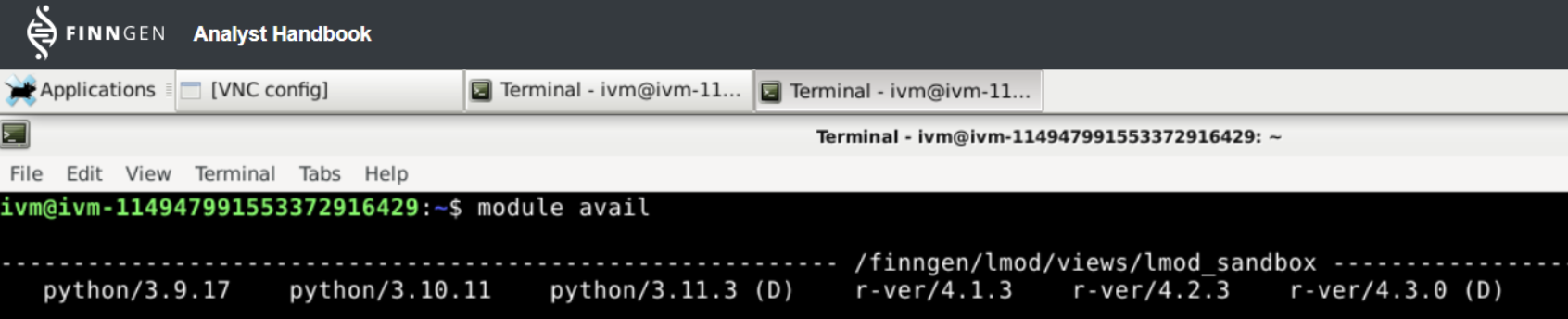
* Use the `module avail` command to list all available Python versions.
In the example below, we see three Python (and three R) versions we can choose from:
#### Select Python version
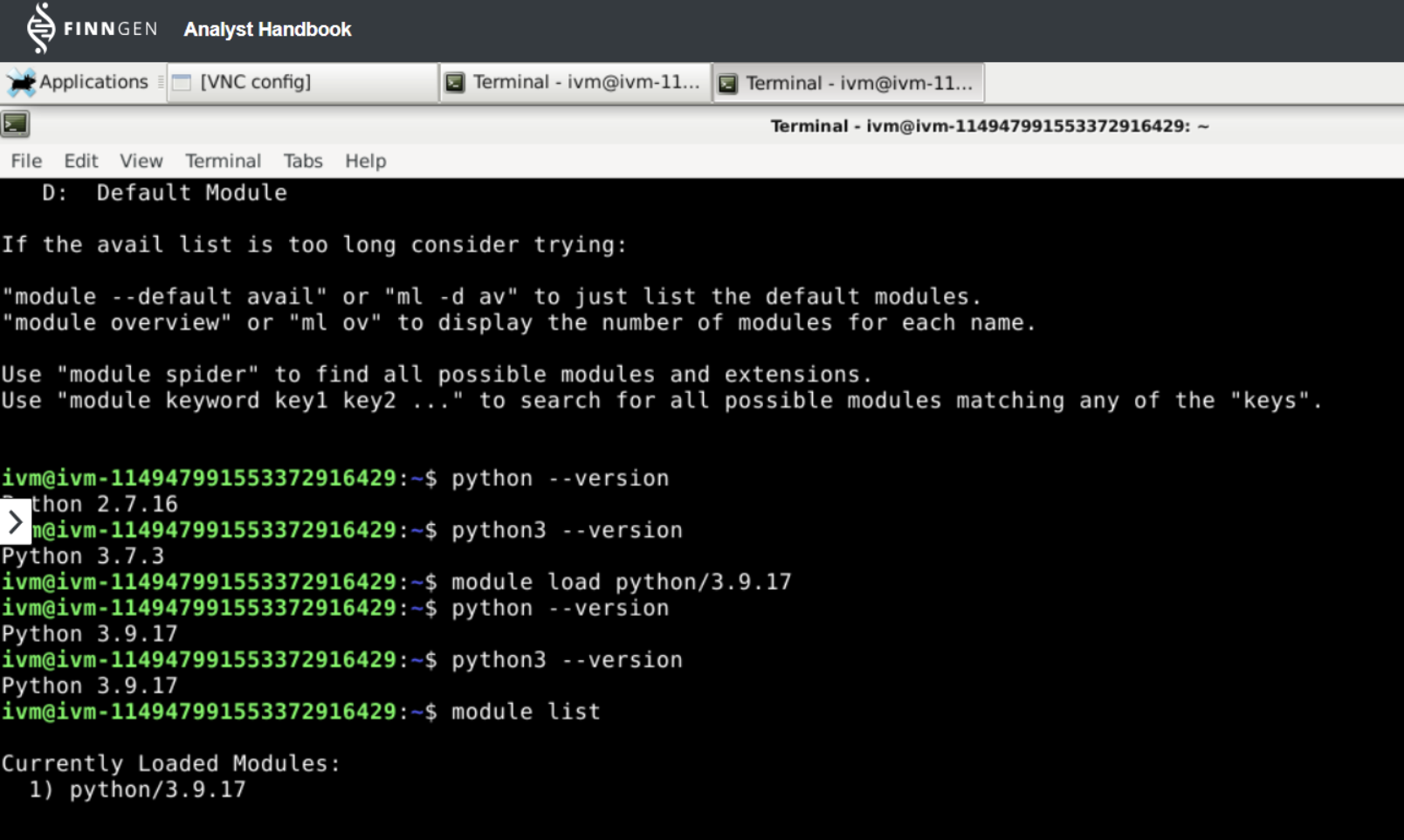
* Use the `module load` command to select a specific Python version.
In the example below, we loaded the python/3.9.17 module. The Sandbox IVM contained a pre-installed python version (2.7.17) and a pre-installed python3 version (3.7.3). Once we loaded the python/3.9.17 module both were replaced with the version 3.9.17.
#### Swap and Unload Python version
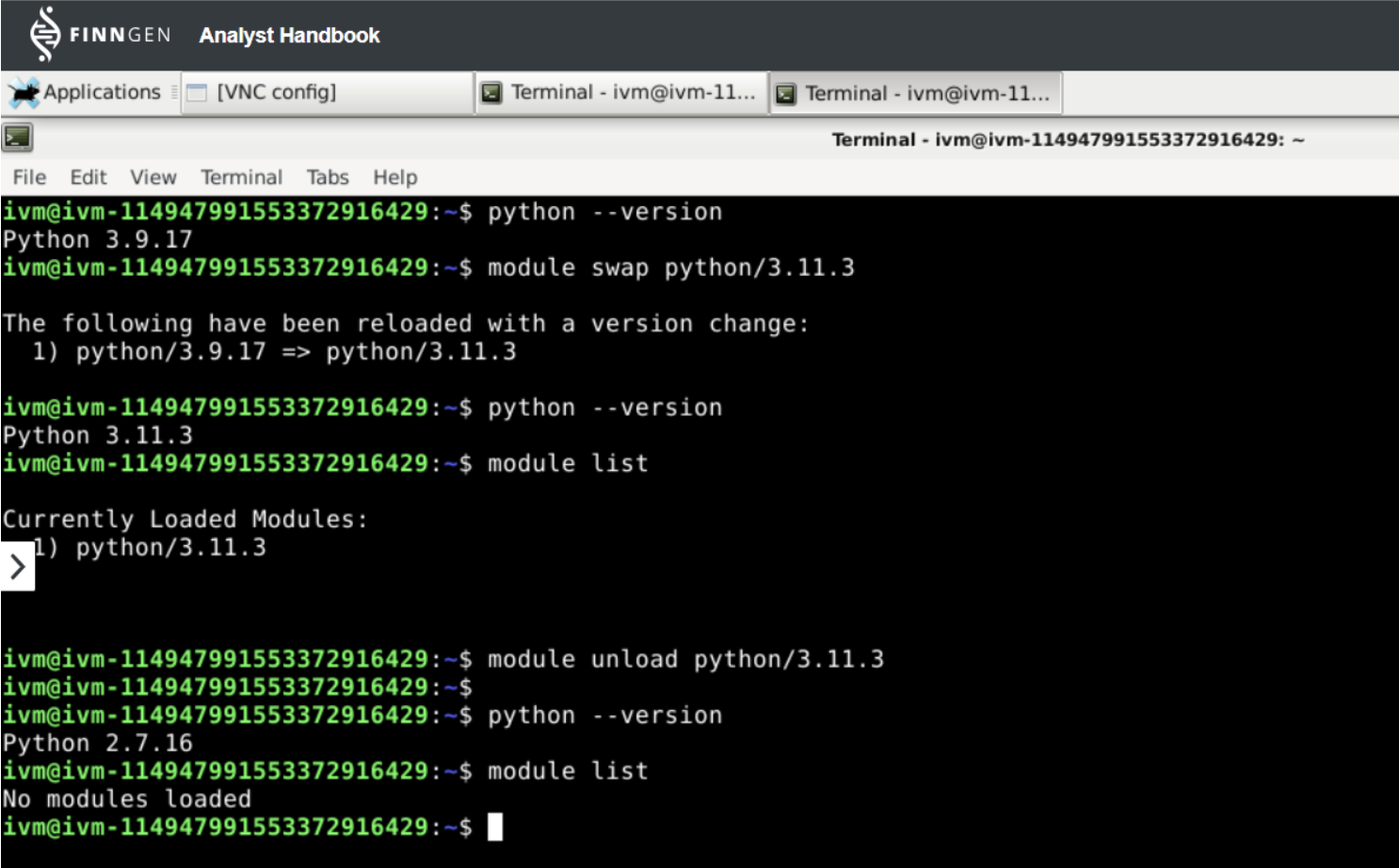
* Use the `module swap` command to swap to a different Python version.
* Use the `module unload` command to unload a Python version.
In the example below, we first swapped to using the python/3.11.3 module and then unloaded the module. Once the module was unloaded, Lmod reverted the IVM to use the pre-installed Python version.
### Commonly used commands
Please find commonly used Lmod **module** commands below. More detailed instructions are available [here](https://lmod.readthedocs.io/en/latest/010_user.html).
| **Command** | **Description** |
| ----------------------------------- | ------------------------------------------------------------------------------------------------------------------------------------------------------ |
| module avail | List all modules that are available for loading. |
| module overview | List all modules that are available for loading in a concise manner. |
| module load \[module] | Load a module. |
| module list | List all loaded modules. |
| module unload \[module] | Remove a loaded module. |
| module purge | Remove all loaded modules. |
| module swap \[module 1] \[module 2] | Switch module 1 with module 2. This happens automatically when we load a different version of a module. |
| module help \[module] | Show the help for a module. |
| module save \[collection name] | Save loaded modules to allow them to be restored later. The collection name is optional and allows different sets of modules to be saved and restored. |
| module restore \[collection name] | Load saved modules. |
| module describe \[collection name] | Show saved modules. |
| module savelist | Show all saved collections. |
### Help, I can't find the data in /finngen/ with my tools
By default, lmod tools do not bind the red or green libraries, and therefore can not access those. To access any of the libraries or datasources in /finngen/, use the following command before loading a module:
```
export SINGULARITY_COMMAND_OPTS="-B /finngen"
```